History and change tracking
StylibHub automatically records changes made across your catalogue, giving you a clear record of what changed, when it changed, who made the change and how it was made.
Whether you're reviewing an individual product or investigating activity across your catalogue, History helps you track updates, review previous values and understand how your product information has evolved.
Viewing history
You can access history in two ways:
Individual record history
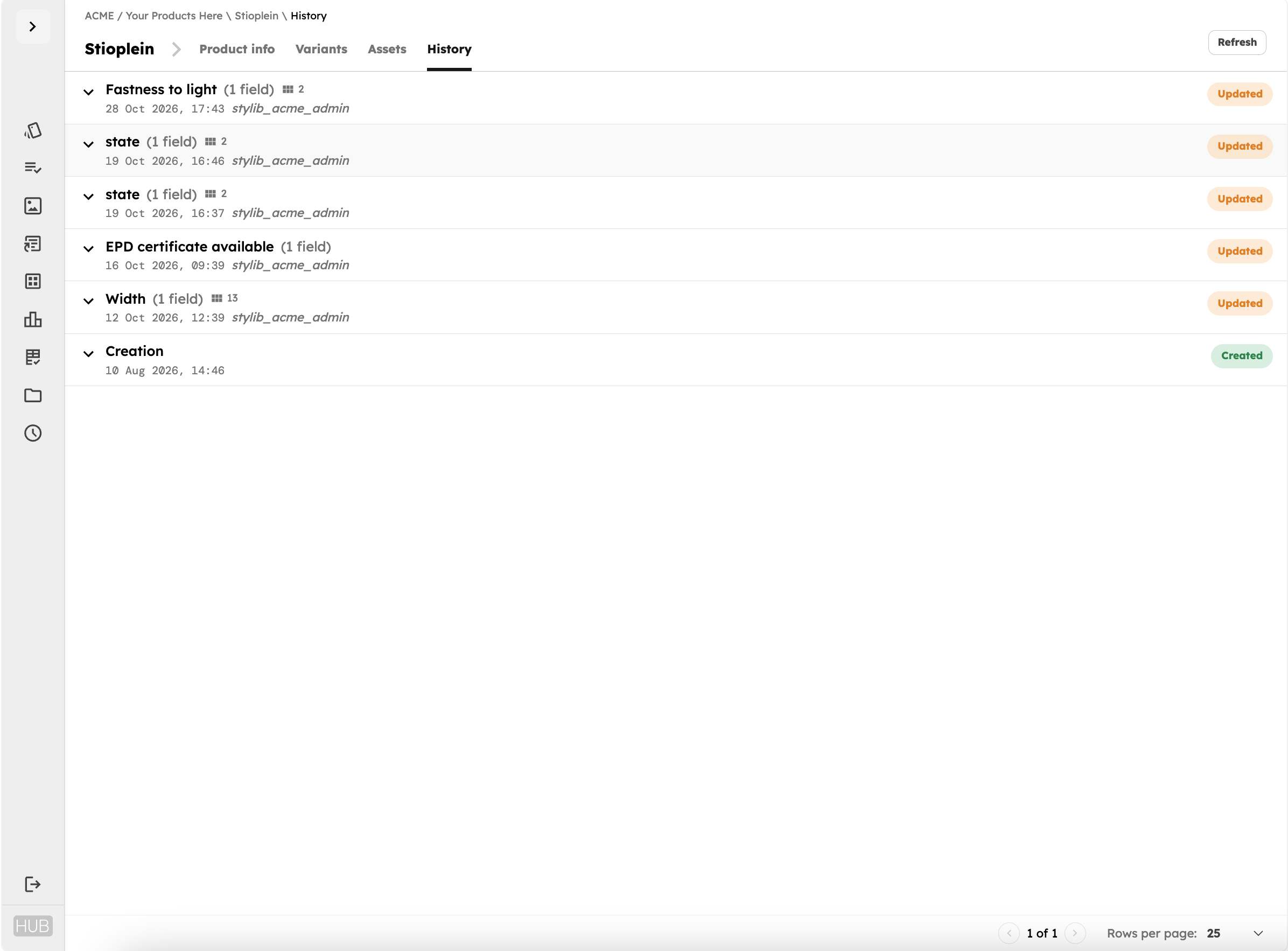
Open a product, variant, asset or other supported record and select the History tab.
Changes are listed chronologically, with the most recent activity first. Each entry provides details about the change, including the date, time and responsible user.
Expand an entry to see which fields were updated and, where applicable, their previous and new values. You can also see when the record was first created.
For example, if a product's width was updated from 120 cm to 150 cm, History shows both values alongside the details of the change.
Catalogue-wide history
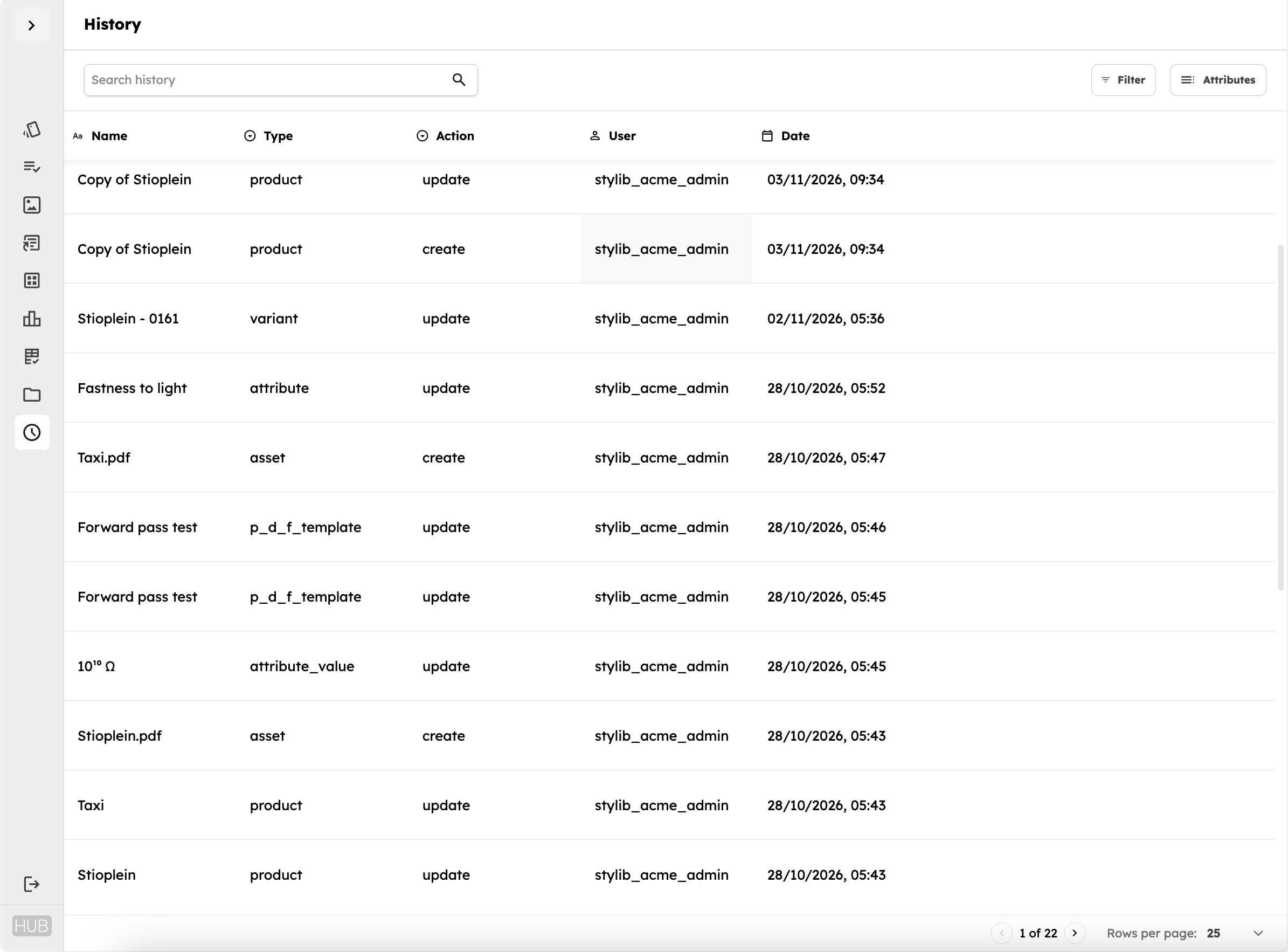
Select History from the main navigation to view a consolidated record of activity across your catalogue.
The table includes:
- Name: The item that was changed.
- Type: The type of record, such as a product, variant, asset or attribute.
- Action: The action performed, such as creation or update.
- User: The user responsible for the change, where applicable.
- Date: When the action took place.
Use the search bar or Filter to narrow the results by name, type, action, user or date. Multiple conditions can be combined using AND/OR filters.
This makes it easier to investigate recent activity, find changes made by a particular user or review updates to a specific type of catalogue information.
What changes are recorded?
History tracks changes to catalogue information and related records throughout Hub, including products and variants, technical attributes and values, assets, views, channels and document templates.
Depending on the record, tracked changes can include the creation of new items, updates to existing information, changes in status or visibility, and modifications to attributes or asset labels.
Other activity history
Some activities have their own dedicated history views:
- Documents > History: Review generated PDF documents, including their revision status, creation date and responsible user.
- Channels > Export history: Review previous channel exports.
These records complement the main History section, providing visibility into activities beyond individual catalogue edits.
Example: Investigating a product change
Suppose a product's EPD certificate availability changes from Yes to No.
Open the product's History tab to review the change, including its previous value, new value, date and responsible user.
Alternatively, open the catalogue-wide History page and use the filters to find relevant product updates within a particular period.
You can also review how the update was made, helping you identify whether it originated from a manual edit, bulk operation, import or API integration.
History retention and exports
StylibHub retains change history for 90 days. Changes older than 90 days are no longer available in the History interface.
If you need to export your change history, please contact Stylib support. Exports are not currently available directly through Hub.
Important to know
- No restoration: Previous values can be reviewed, but changes cannot be automatically reversed or restored through History.
- 90-day retention: Change history is available for the past 30 days.